3.3 Delete a Profile
Objective
Learn how to delete a tenant profile and the precautions involved. Before deleting a profile, confirm that the profile is not referenced by any tenant.
Applicable Roles
System Administrator
Prerequisites
Logged in to the platform with a System Administrator account.
The target profile already exists.
Confirmed that the profile is not used by any tenant (the system will verify, but prior confirmation is recommended).
Steps
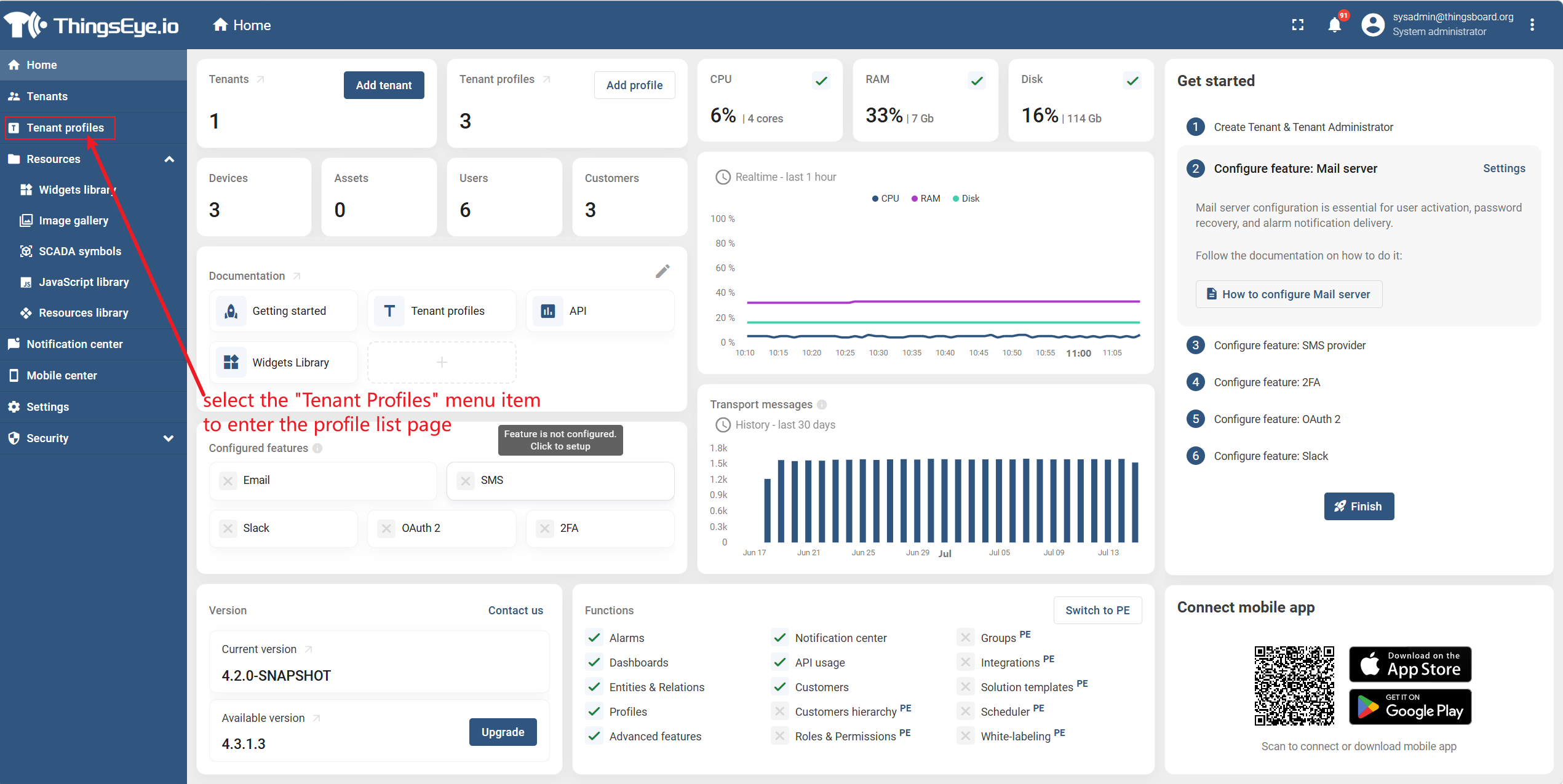
Step 1: Navigate to Tenant Profiles Page
From the left sidebar, select the "Tenant Profiles" menu item to enter the profile list page.
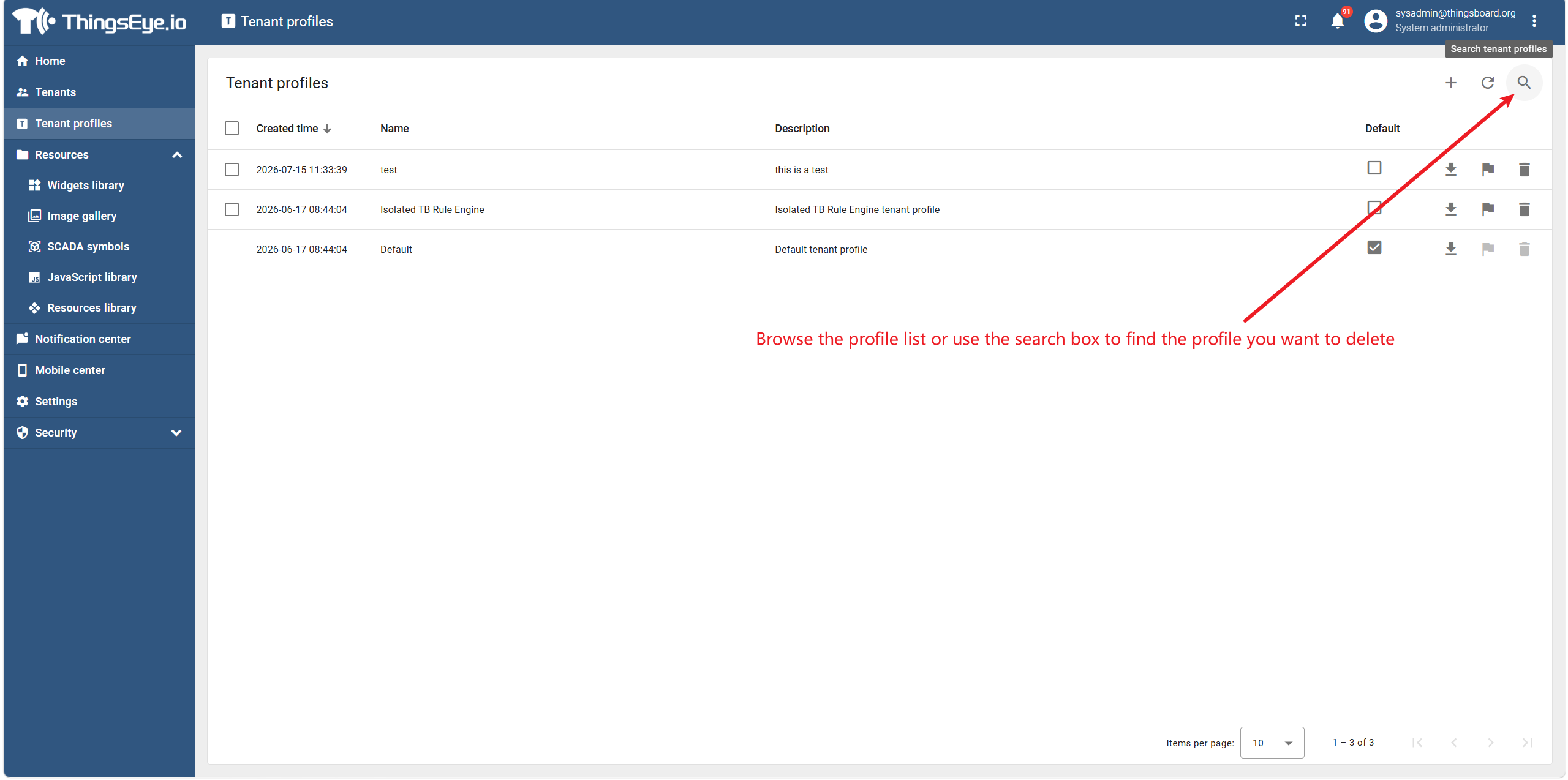
Step 2: Locate the Target Profile
Browse the profile list or use the search box to find the profile you want to delete.
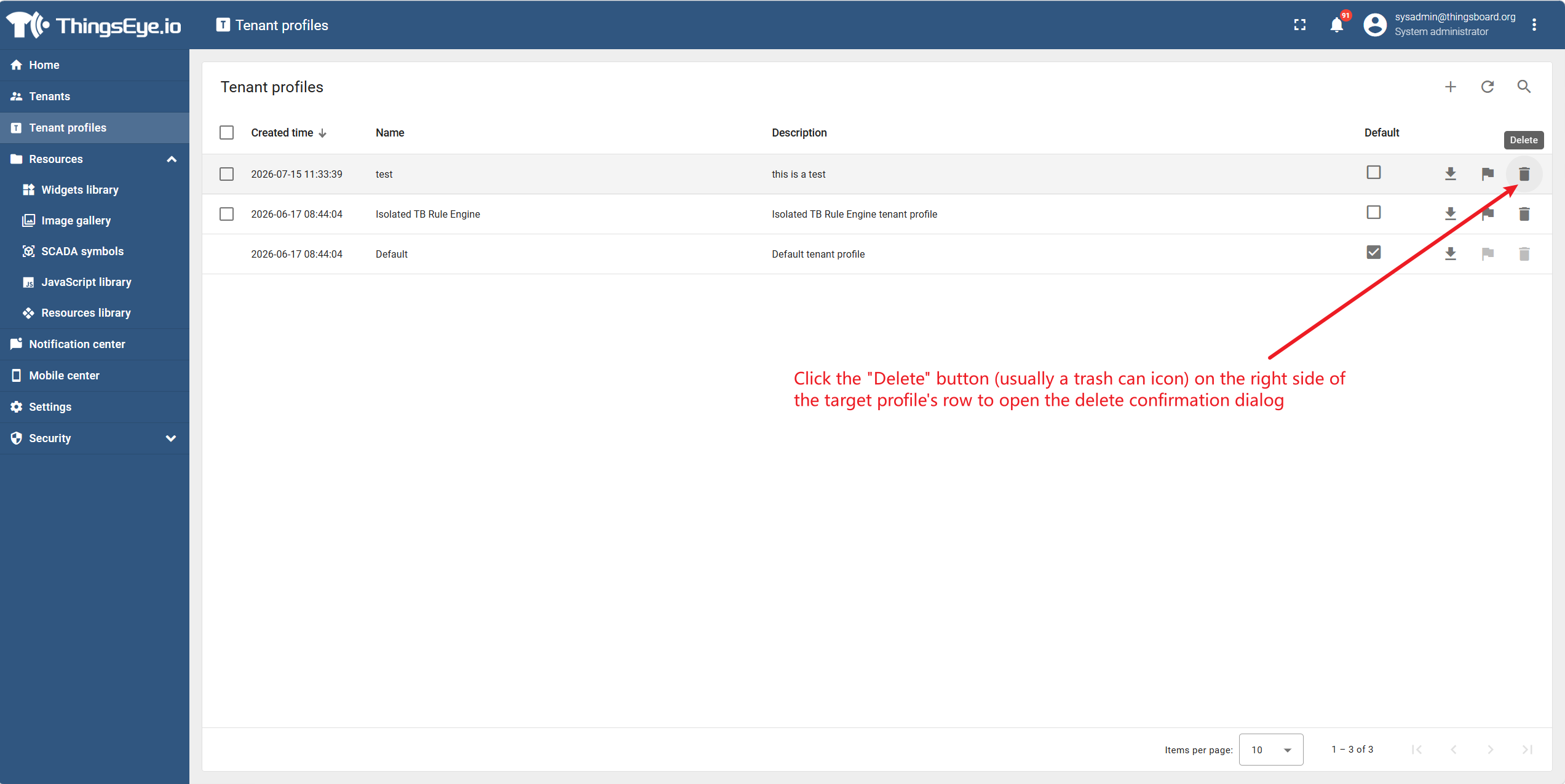
Step 3: Open the Delete Confirmation Dialog
Click the "Delete" button (usually a trash can icon) on the right side of the target profile's row to open the delete confirmation dialog.
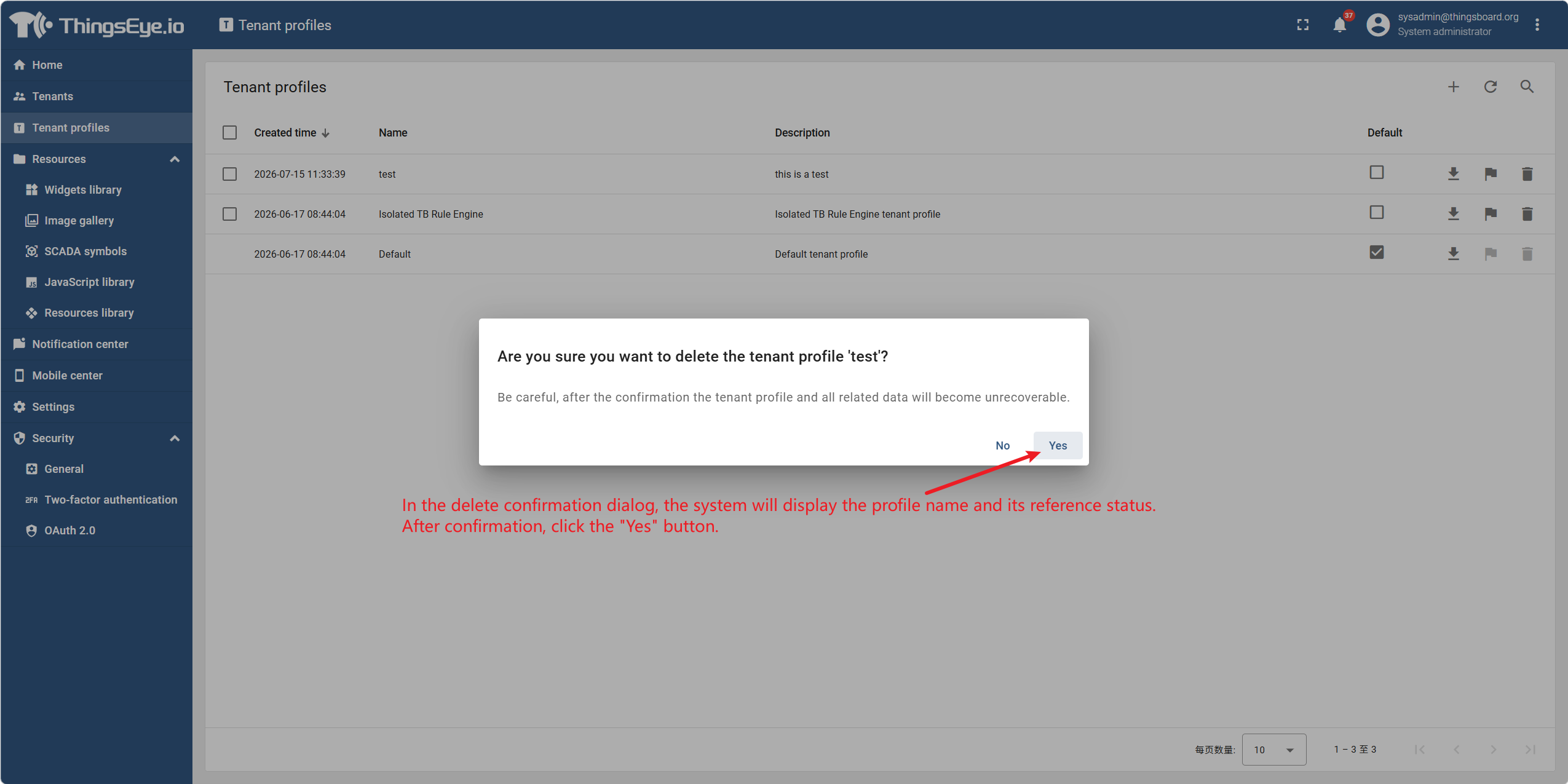
Step 4: Confirm the Deletion
In the delete confirmation dialog, the system will display the profile name and its reference status. After confirmation, click the "Yes" button.
⚠️ Reference Check
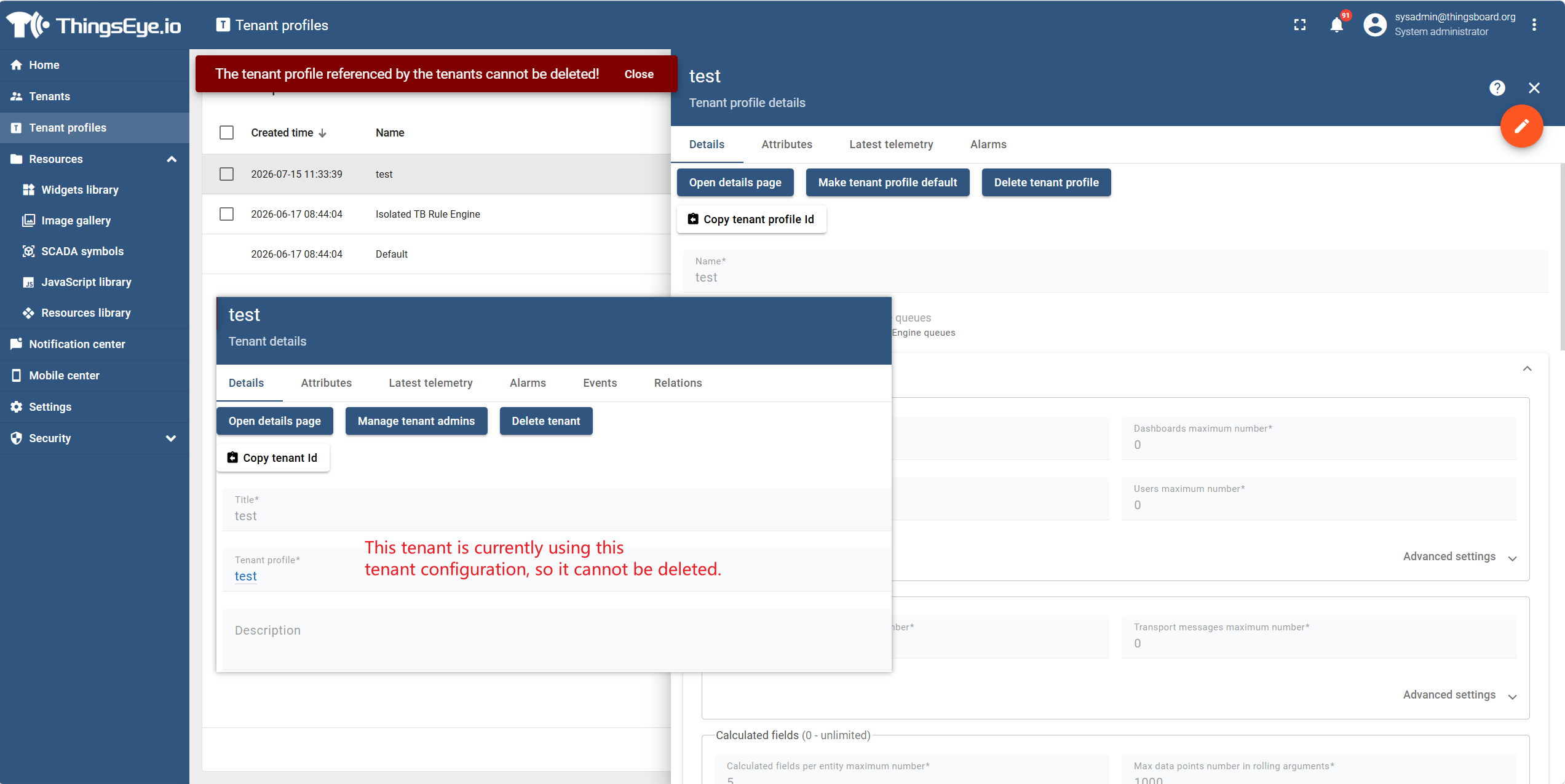
If the profile is currently being used by at least one tenant, the system will block the deletion and display a message: "This profile is referenced by tenant(s). Please change the profile of these tenants before deletion."
To proceed with deletion, you must first edit each tenant referencing this profile and change their profile to another one see Section 2.2. The profile can only be deleted after it is not referenced by any tenant.
Pre-Deletion Checklist
| Check Item | Status |
|---|---|
| Confirmed that the profile no longer has any business needs | ☐ |
| Confirmed that the profile is not referenced by any tenant | ☐ |
| If referenced, all referencing tenants have been switched to other profiles | ☐ |
Important Notes
| Note | Description |
|---|---|
| Reference Restriction | A profile with existing references cannot be deleted; all references must be removed first. |
| System Default Profile | Built-in system default profiles (if any) may not be deletable, depending on the platform implementation. |
| Impact on Tenants | Deleting a profile does not affect the existing quotas of tenants that referenced it, but those tenants will no longer be able to reference the deleted profile (they must choose another profile when editing the tenant). |
| Audit Trail | The deletion operation is recorded in audit logs. |